
Authentication
APIScope supports global authentication and per-request authorization — without storing credentials in .apiscope/ files.
Global authentication
Open the Authentication tab (or APIScope: Open Global Authentication) to configure auth for the active environment.
Available methods:
- Session — form login with CSRF and session cookies
- Bearer Token —
Authorizationheader with JWT or bearer token - Basic Auth — HTTP Basic (username and password)
- API Key — custom header or query parameter
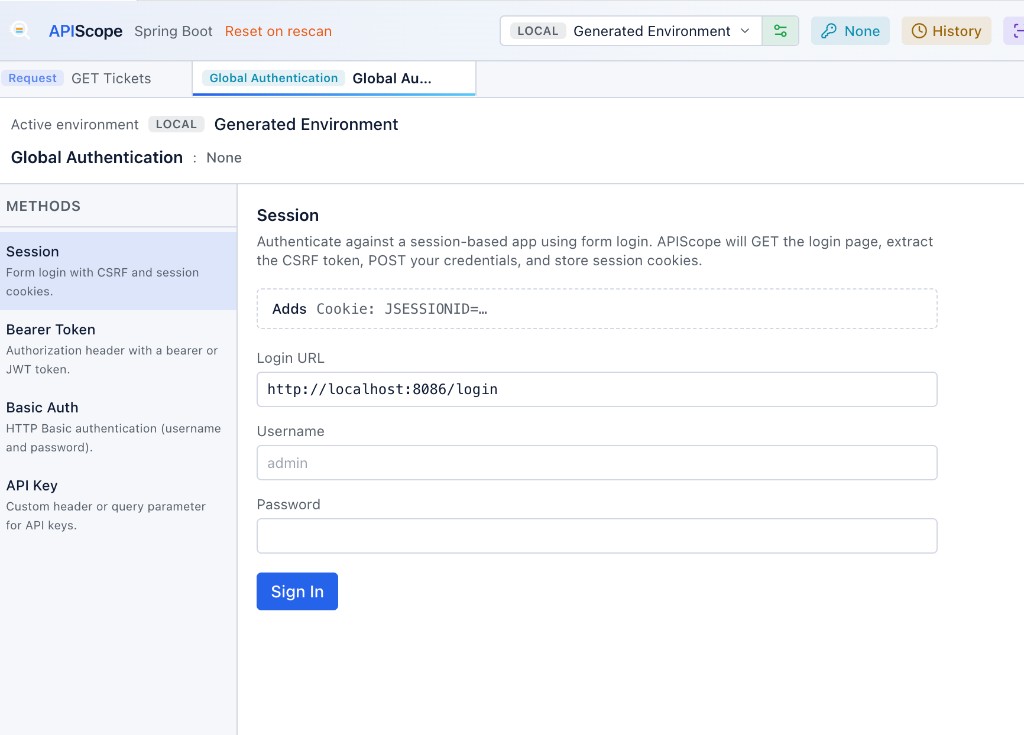
After signing in, APIScope shows captured cookies and session status:
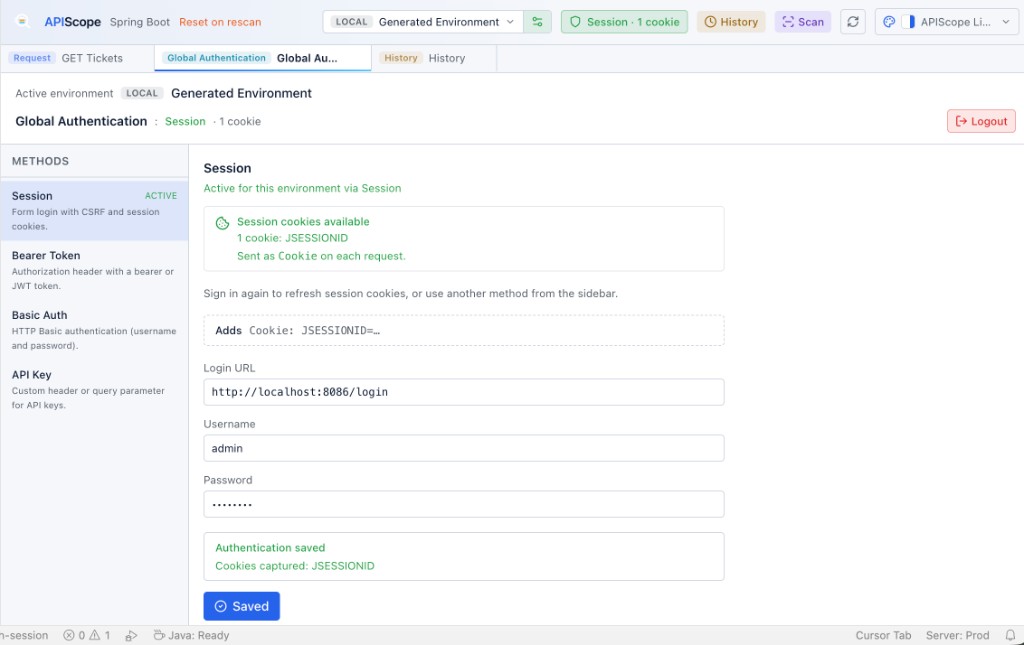
Credentials and tokens are stored via the VS Code Secret Storage API. They never appear in workspace files on disk.
Session login
For form-based login flows (Spring Security, session cookies):
- Open Global Authentication and select Session
- Enter the login URL (e.g.
http://localhost:8086/login) - Enter username and password
- Click Sign In — APIScope GETs the login page, extracts the CSRF token, POSTs credentials, and captures
Set-Cookieheaders
Captured cookies are injected automatically into subsequent requests when authorization is set to Session or Inherit.
Try this with sample-projects/spring-auth-session.
Per-request authorization
Each request has an Authentication tab with these modes:
| Type | Behavior |
|---|---|
| Inherit | Use global session / workspace auth defaults |
| None | No auth headers added |
| Session | Attach captured session cookies |
| Bearer | Authorization: Bearer <token> |
| Basic | HTTP Basic auth |
| API Key | Header or query parameter key |
Bearer tokens and API keys can reference environment variables (e.g. ).
JWT workflows
For JWT APIs (see sample-projects/jwt-api-fastapi):
- Send the login request from the Generated Collection
- Copy the token from the response or use post-request scripts to set a runtime variable
- Configure Bearer auth on protected endpoints
Security notes
- Passwords and secrets → VS Code Secret Storage only
- History files may contain resolved headers — review before sharing exports
- Use environment tiers (especially
PROD) to avoid accidental calls to production