
Runtime Variables
Runtime variables are in-memory values generated or extracted during request execution. They are available across requests in the same APIScope session but are never saved to disk — they clear when you close VS Code or Cursor.
Use them to chain requests: generate test data, extract tokens from responses, and reuse values in the next call without editing environment files.
Viewing runtime variables
Open the Environments tab and select the active environment. Below Environment Variables, the Runtime Variables (Memory Only) section lists every value currently in memory.
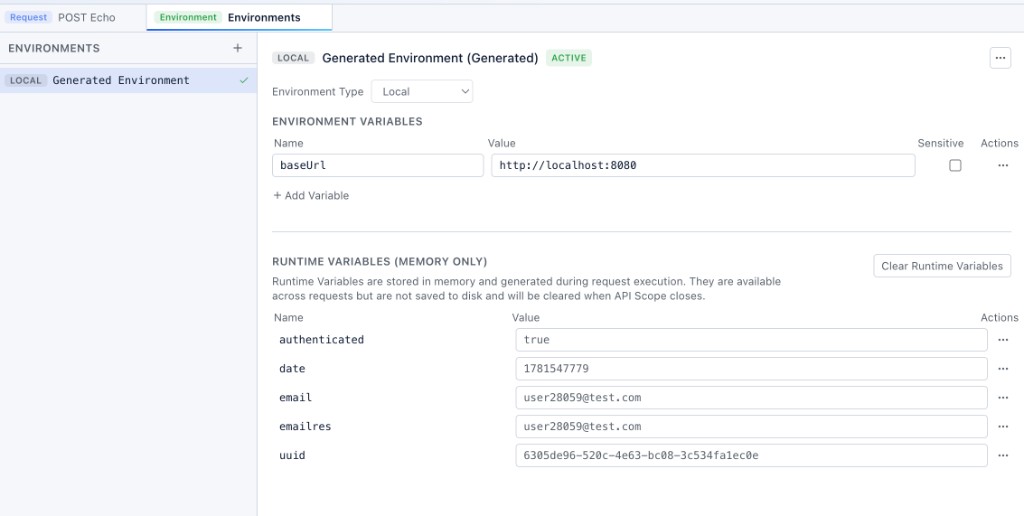
From each row you can:
- Copy Value — paste into another field or tool
- Promote to Environment Variable — move the value into the selected environment (persisted to disk)
- Delete Variable — remove a single runtime entry
Use Clear Runtime Variables to wipe the entire runtime store at once.
How values are created
Runtime variables come from three sources on the request editor:
| Source | When it runs | Persists to disk |
|---|---|---|
| Pre-request variables | Before send | No — stored in runtime |
| Post-request extraction | After response | No — stored in runtime |
Pre/post scripts (env.set) | Before or after send | No — stored in runtime |
Pre-request variables
On the Variables → Pre tab, add generators that produce a fresh value on every send:
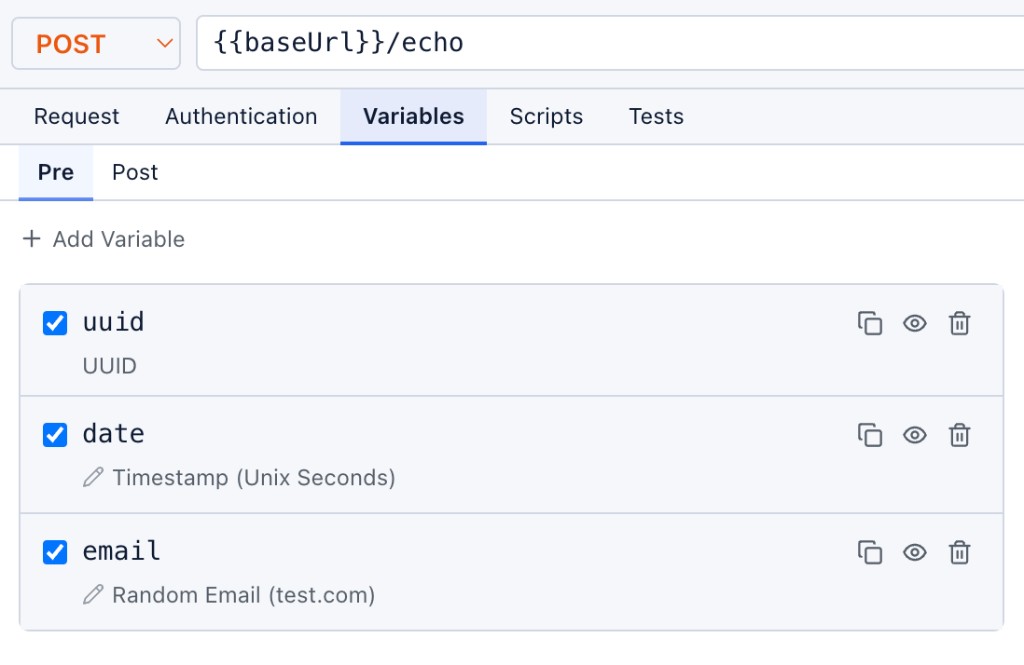
Supported types: UUID, Timestamp, Random Number, Random String, Random Email, and Static Value. Reference them with in the URL, headers, or body.
Post-request extraction
On the Variables → Post tab, map response fields into runtime variables for later requests:
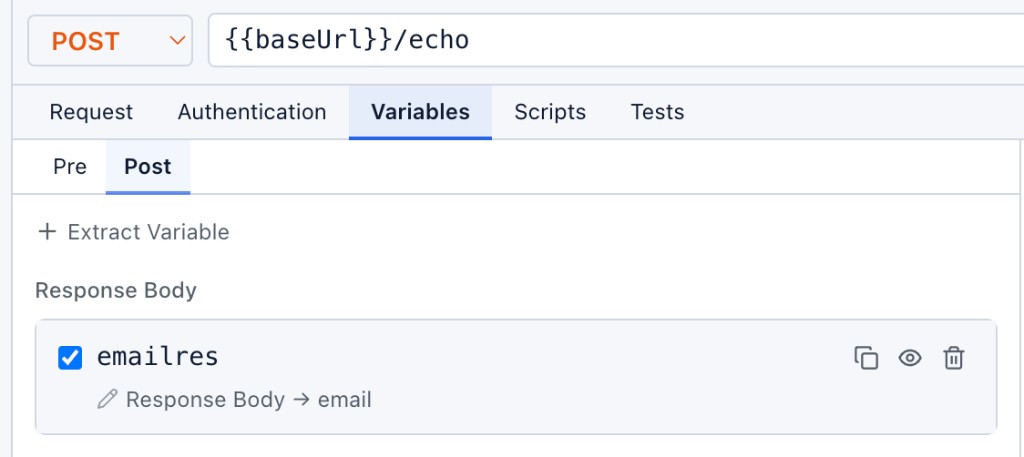
Click + Extract Variable to add a mapping from the response body, a header, or a cookie. Each extraction can be enabled or disabled independently.
Scripts
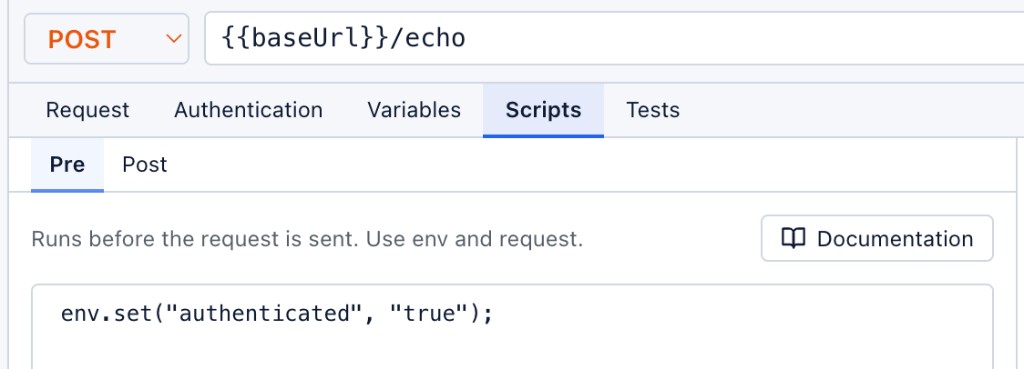
Pre- and post-request scripts can read and write runtime variables through the env API:
env.get("token");           // Request → Runtime → Environment
env.set("authenticated", "true");
env.unset("token");
env.clear();
Open Documentation in the script panel for the full APIScope script API.
Variable resolution
When APIScope substitutes or scripts call env.get(), values resolve in this order (highest priority last):
- Environment variables — persisted in
.apiscope/environments/ - Runtime variables — memory only
- Request-scoped pre variables — generated for the current send
A request-scoped pre variable with the same name overrides a runtime value, which in turn overrides an environment variable.
Example flow
Using the POST Echo request in a Spring Boot sample:
- Pre tab generates
uuid,date, andemailbefore send - Post tab extracts
emailresfrom the response body fieldemail - Pre script sets
authenticatedto"true" - The Environments tab shows all five runtime values after send
Subsequent requests in the same session can reference , , or without re-running the echo call.
Related
- Environments — persisted variables and
- Sending Requests — full request editor, scripts, and tests