
Sending Requests
The request editor supports the full HTTP workflow: method, URL, params, headers, body, scripts, tests, and response inspection.
Request editor
Select a request from the collections tree to open the editor. Tabs include:
| Tab | Purpose |
|---|---|
| Request | Params, headers, and body |
| Authentication | Per-request auth override |
| Variables | Pre- and post-request variable extraction |
| Scripts | Pre-request and post-response JavaScript |
| Tests | Basic checks and advanced script assertions |
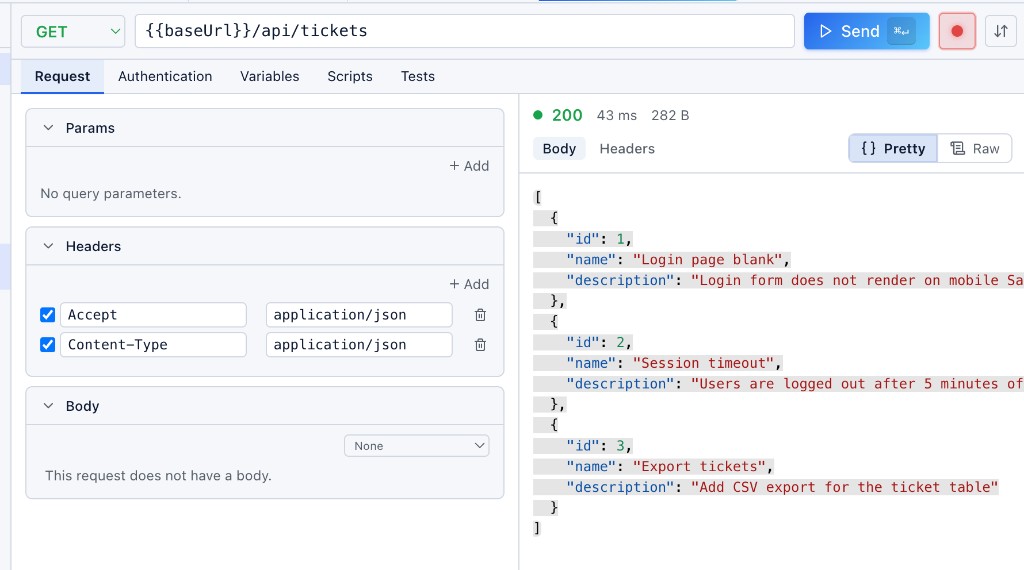
Send a request
Click Send or press:
- macOS:
⌘↵ - Windows / Linux:
Ctrl+Enter
Supported methods: GET, POST, PUT, PATCH, DELETE.
Variables
The Variables tab has two sub-tabs: Pre (before send) and Post (after response). Generated and extracted values are stored as runtime variables — available across requests but not saved to disk.
Pre-request variables
Generate dynamic values before each send. Supported types:
| Type | Example use |
|---|---|
| UUID | Unique request id |
| Timestamp (Unix Seconds) | date field |
| Random Number (0–100000) | Query param ?v= |
| Random Email (test.com) | Test user addresses |
| Random String (Length: N) | Arbitrary text |
| Static Value | Fixed strings |
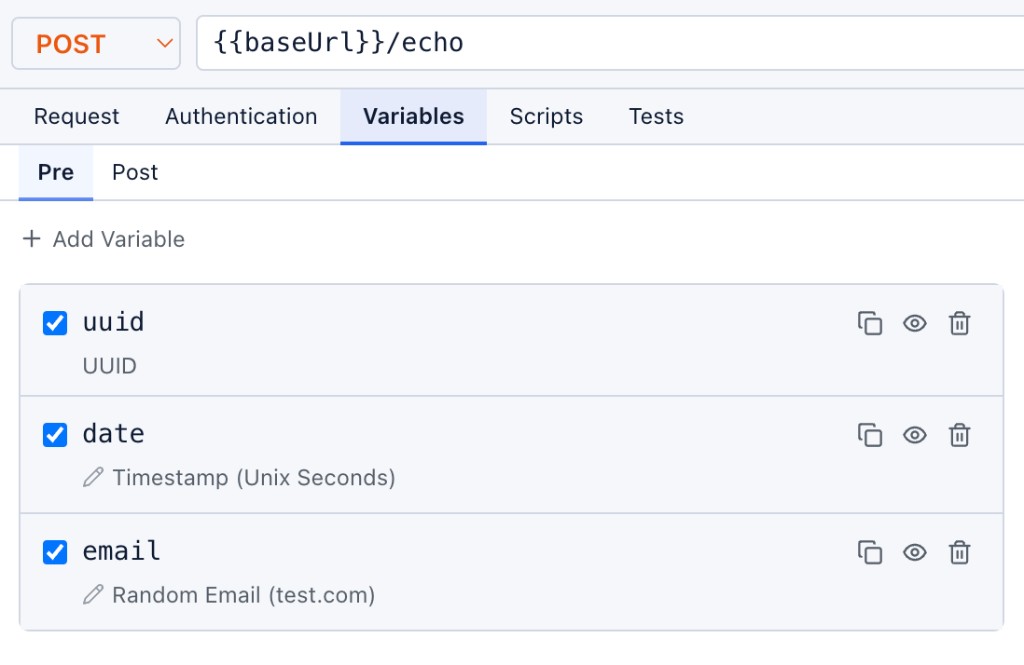
Reference variables anywhere with — in the URL, headers, query params, or body.
Post-request extraction
After a response arrives, extract values from the body or headers into runtime variables for the next request:
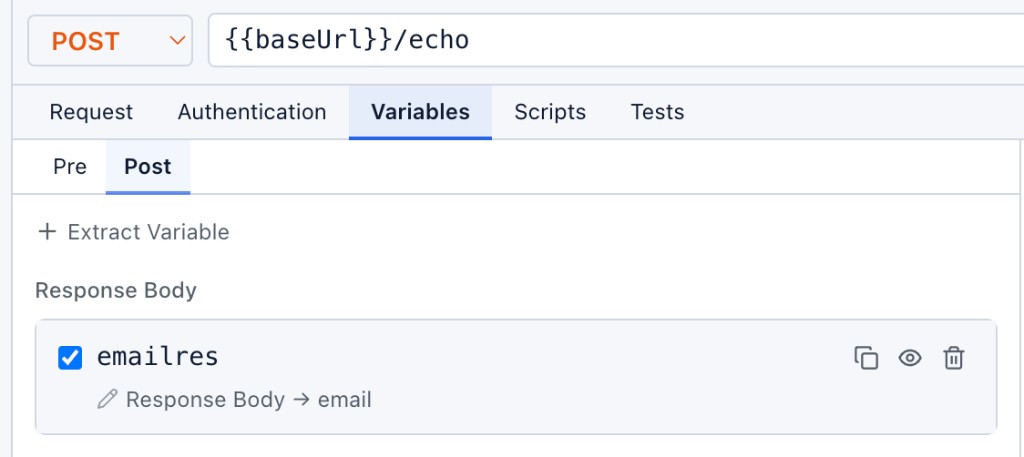
Click + Extract Variable to add a mapping. Each extraction can be enabled or disabled independently.
See Runtime Variables for the full lifecycle — viewing values in the Environments tab, resolution order, and promoting to environment variables.
Scripts
The Scripts tab runs JavaScript before or after the request.
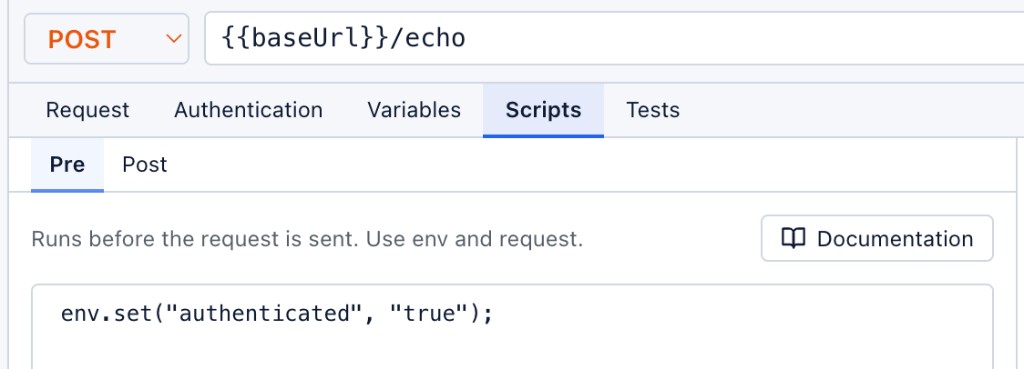
Pre-request scripts
Run before send to compute values, chain requests, or call the env API:
Post-request scripts
Run after the response is received. Access response.json(), response.status, and env.set():
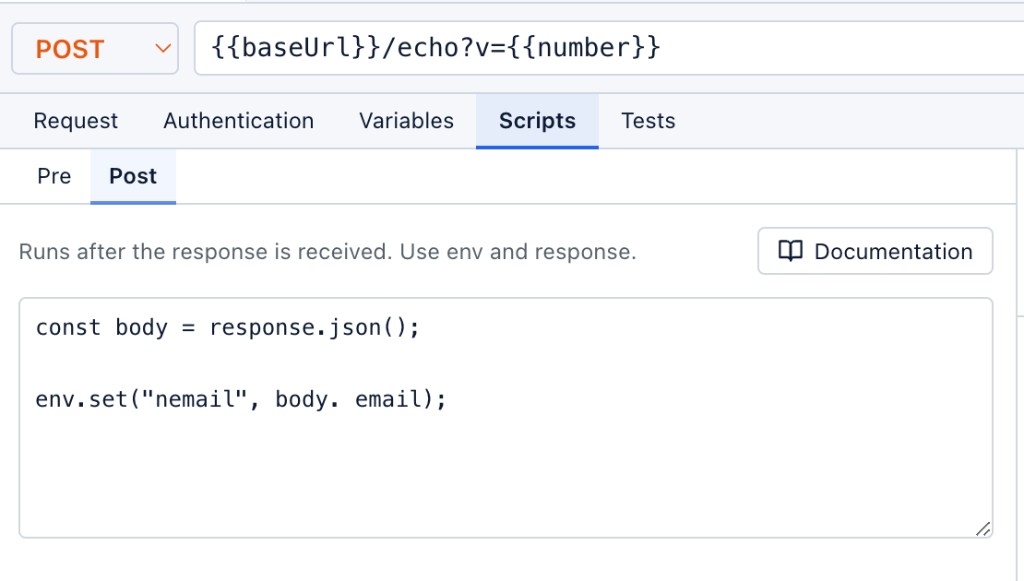
Open Documentation in the script panel for the full APIScope script API reference.
Response tests
The Tests tab validates responses with no-code checks and optional JavaScript.
Basic checks
Built-in assertions — no scripting required:
- Status Code — equals expected value (e.g.
200) - Response Time — less than threshold (e.g.
< 1000 ms) - Field exists — JSON path or header presence (e.g.
emailexists)
Advanced script tests
Write custom JavaScript using assert() for complex validation:
// Script test
assert(response.status === 200);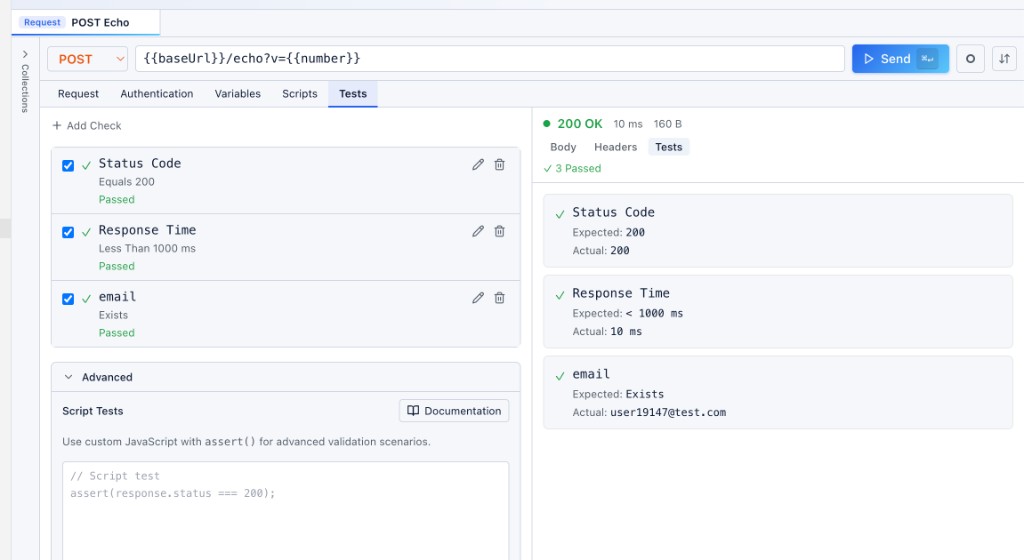
Results appear in the response panel Tests tab and as a summary badge on the status bar (e.g. ✓ 3 Passed).
Response viewer
After sending, the response panel shows:
- Summary bar — status code, duration, payload size, test results
- Body — JSON (pretty-printed), raw text, or file preview
- Headers — response header table
- Tests — pass/fail breakdown
File downloads
Binary responses (PDF, images, zip, blob) display in the File Downloaded viewer with metadata:
- File name, MIME type, and size
- Download — save to your machine
- Reveal in Folder — open the saved path in the file explorer
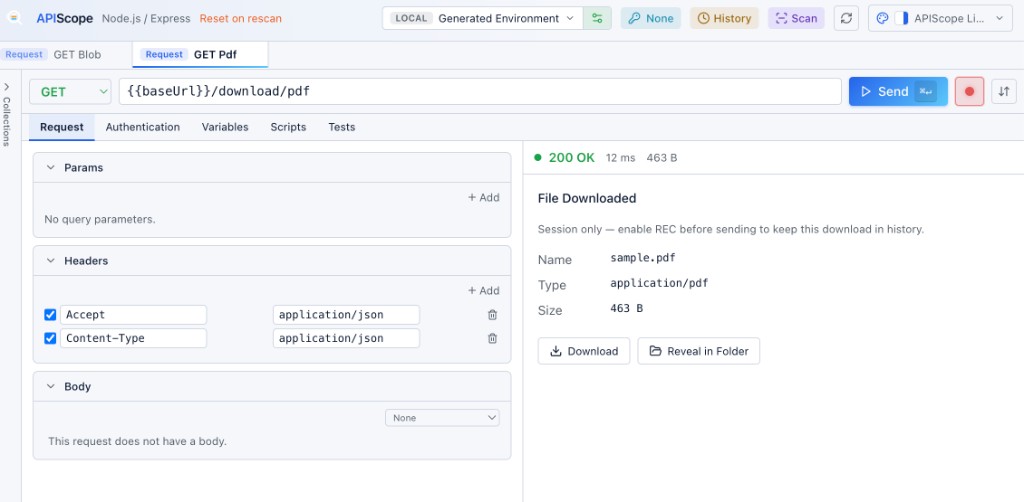
Session vs persisted downloads
| Mode | Behavior |
|---|---|
| Session only (default) | Preview in the panel; file lives under .apiscope/downloads/.temp/ |
| REC enabled | Enable REC before sending to persist the download in history and .apiscope/downloads/YYYY/MM/DD/ |
Try file endpoints in sample-projects/files-api-nodejs — blob, image, JSON, PDF, slow stream, text, and zip downloads.
Persisted downloads are linked from history entries. See History & Drafts.
Errors
Network failures, DNS errors, and TLS issues display in the request error panel with actionable messages — separate from HTTP 4xx/5xx responses.
Drafts
Unsaved ad-hoc requests open as draft tabs. Drafts persist under .apiscope/drafts/draft-NNN.json until saved to a collection or discarded.
See History & Drafts for replay and draft workflows.