
Getting Started
APIScope is a VS Code / Cursor extension that discovers API endpoints from your source code and lets you send HTTP requests without leaving the editor.
Install
Install APIScope from the VS Code Marketplace or Open VSX, or load it from source:
- Clone github.com/erikchaupis/apiscope
- Run
npm run install:all && npm run build - Press F5 to open the Extension Development Host
Open APIScope
After opening a workspace with a supported project:
- Click the APIScope icon in the activity bar (left sidebar).
- Or run APIScope: Open APIScope from the Command Palette (
Cmd+Shift+P/Ctrl+Shift+P).

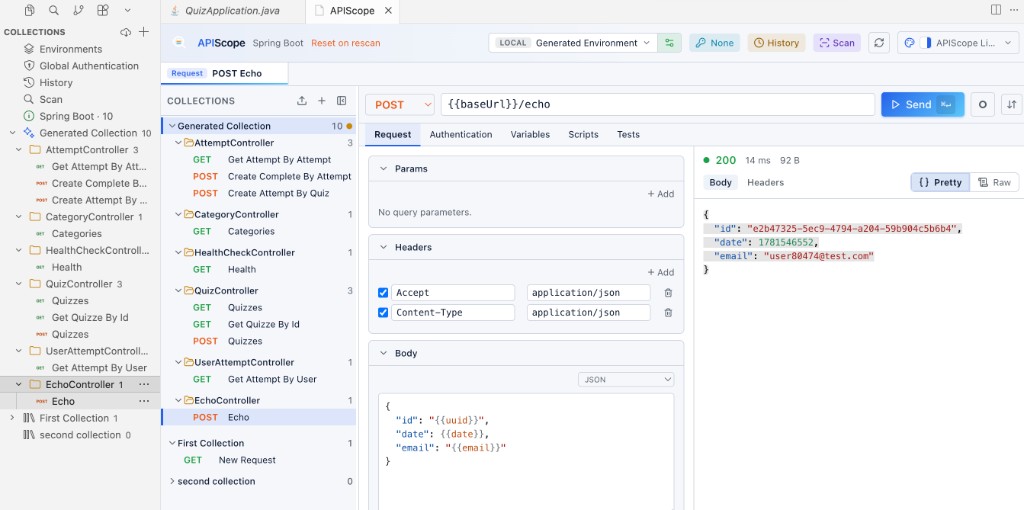
The Collections sidebar opens on the left. Shortcut rows at the top link to Environments, Global Authentication, History, and Scan. Below them, each collection shows as a tree with controller folders and color-coded HTTP method badges on every request.
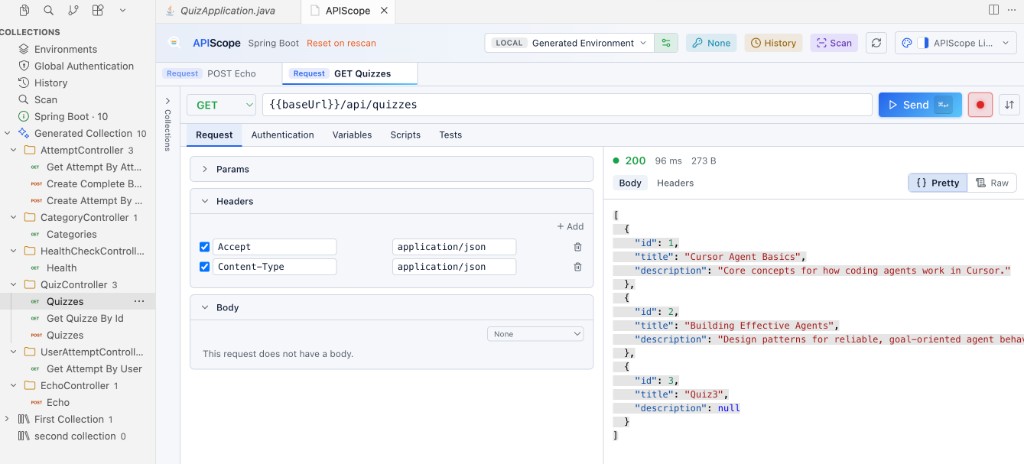
The main panel opens with a request editor, response viewer, and tabs for Environments, History, Scan, and Authentication.
First scan
- Open a sample project such as
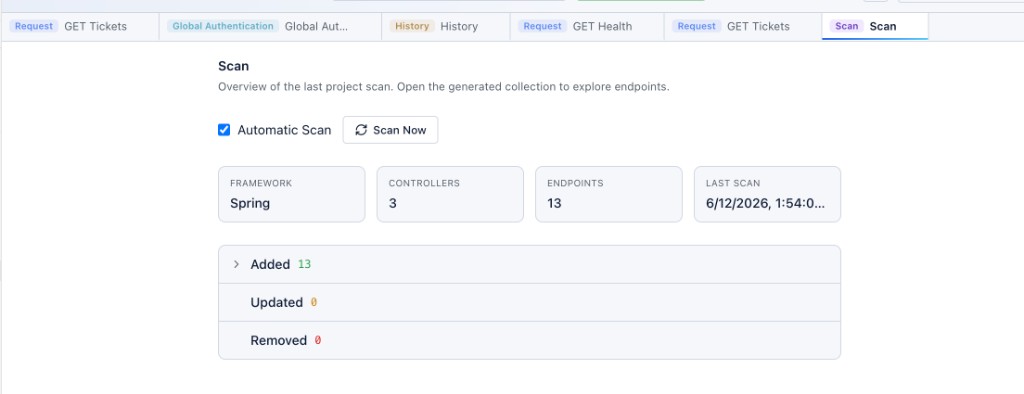
sample-projects/spring-demo,sample-projects/files-api-nodejs, orsample-projects/jwt-api-fastapi. - Run APIScope: Scan Endpoints from the Command Palette, or use the Scan tab.
- APIScope detects the framework, reads route definitions, and creates a Generated Collection.
Endpoints are grouped by controller or router file. Each scanned request includes a source link — click Open Source to jump to the implementing code.
Send your first request
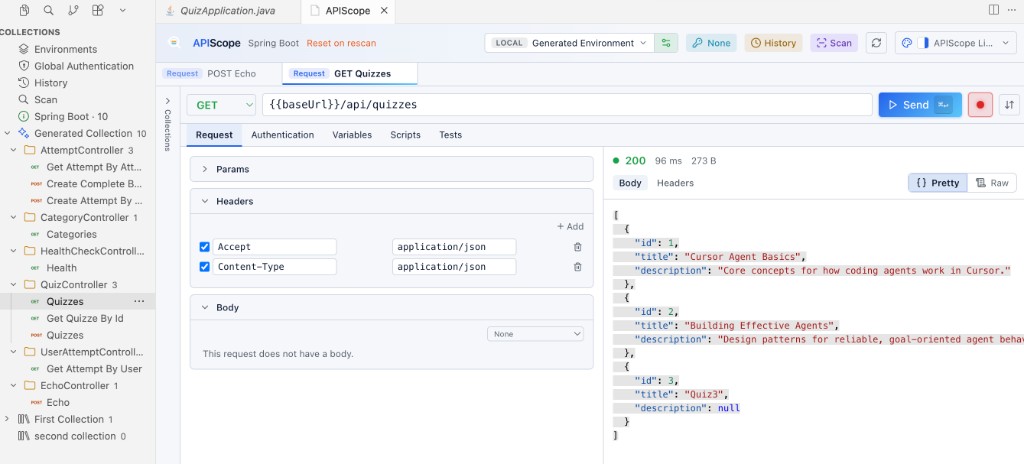
- Click a request in the collections sidebar or main panel.
- Confirm the URL uses
— APIScope resolves this from the active environment. - Press Send or use
⌘↵(macOS) /Ctrl+Enter(Windows/Linux).
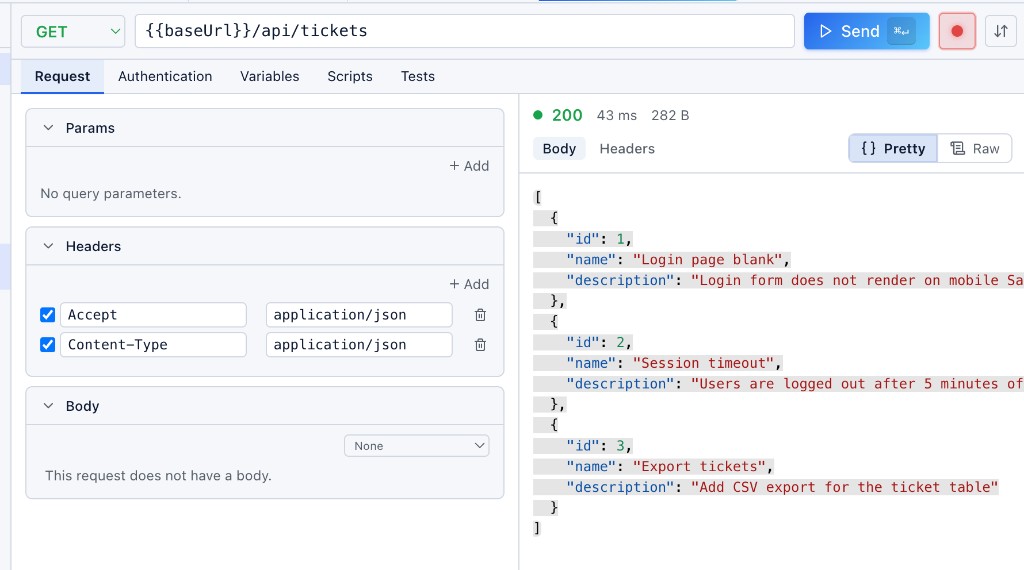
The response appears beside the request editor with status, timing, headers, and body. JSON responses are pretty-printed automatically.
Workspace data
APIScope stores everything under .apiscope/ in your project root:
.apiscope/
├── config.json
├── .gitignore
├── collections/
├── environments/
├── scans/
├── history/
├── drafts/
└── downloads/
See the Workspace Specification for the full layout.
By default, generated collections, environments, scans, history, drafts, and downloads are listed in .apiscope/.gitignore so local testing data does not pollute your repository.
Sample projects
| Project | Framework | Path |
|---|---|---|
| Spring Demo | Spring Boot | sample-projects/spring-demo |
| Spring Auth Session | Spring Boot + form login | sample-projects/spring-auth-session |
| Files API | Express (Node.js) | sample-projects/files-api-nodejs |
| JWT API | FastAPI | sample-projects/jwt-api-fastapi |
Next steps
- Collections — user collections, import/export, folders
- Scanning — rescan, dirty state, supported annotations
- Environments — variables and
- Runtime Variables — in-memory values from pre/post extraction and scripts
- Authentication — session login and per-request auth
- Themes — APIScope Light, Solar, Classic palettes